Telegram Channel Studio
A Mini App and bot for preparing channel posts, configurable buttons and quote stickers, with TON subscription payments.
- My role
- Full stack development
- Delivery window
- 1 week
- Platform
- Telegram
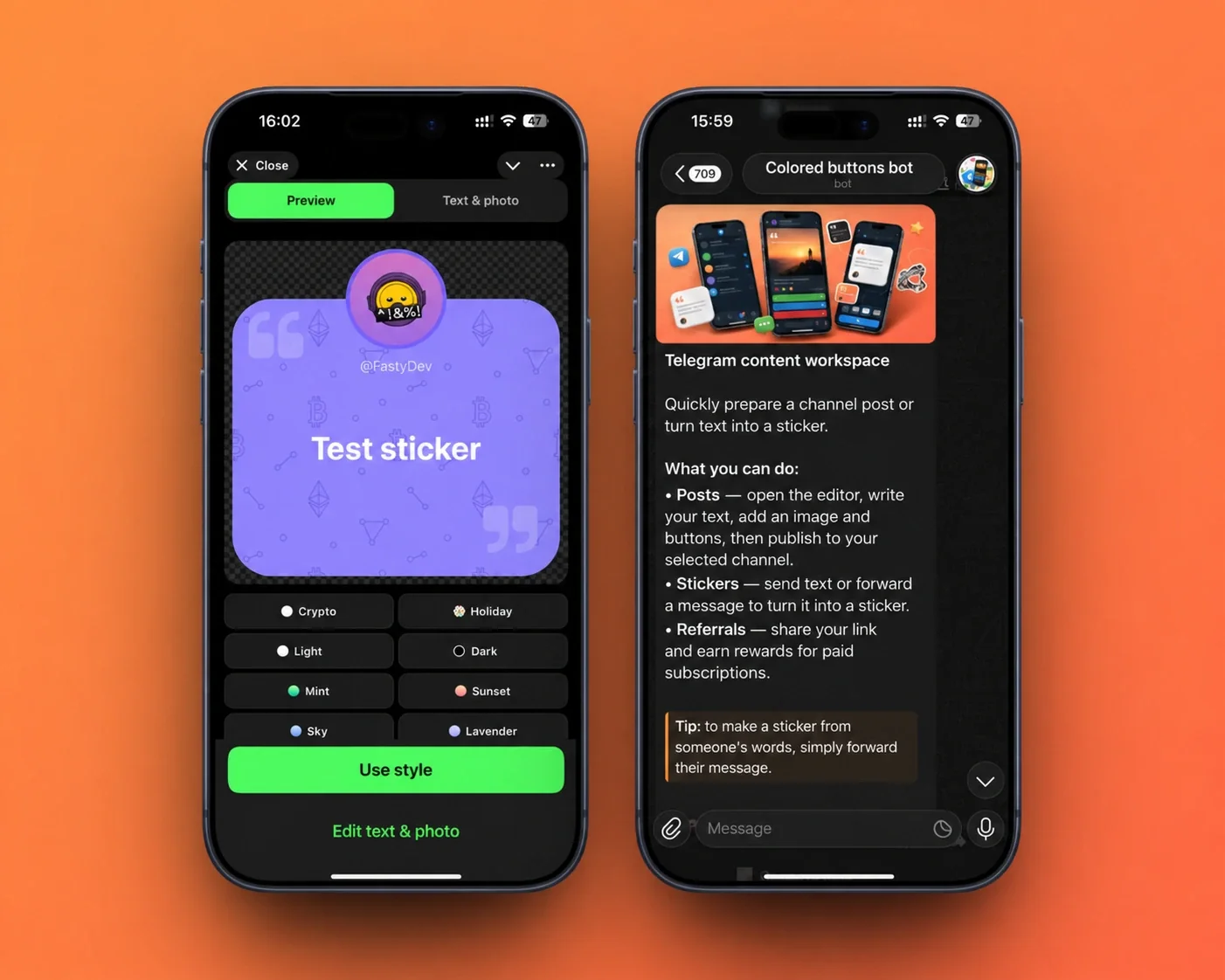
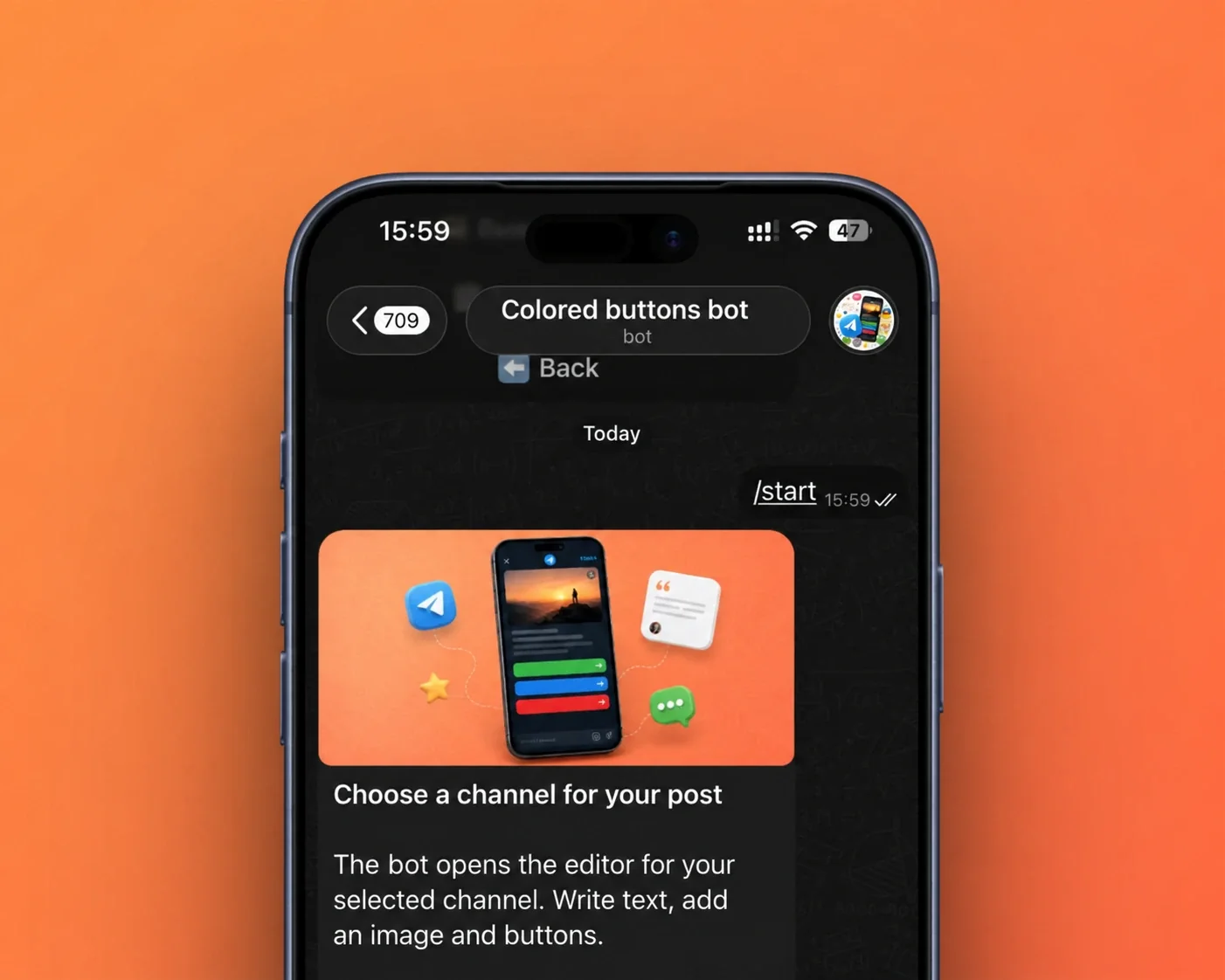
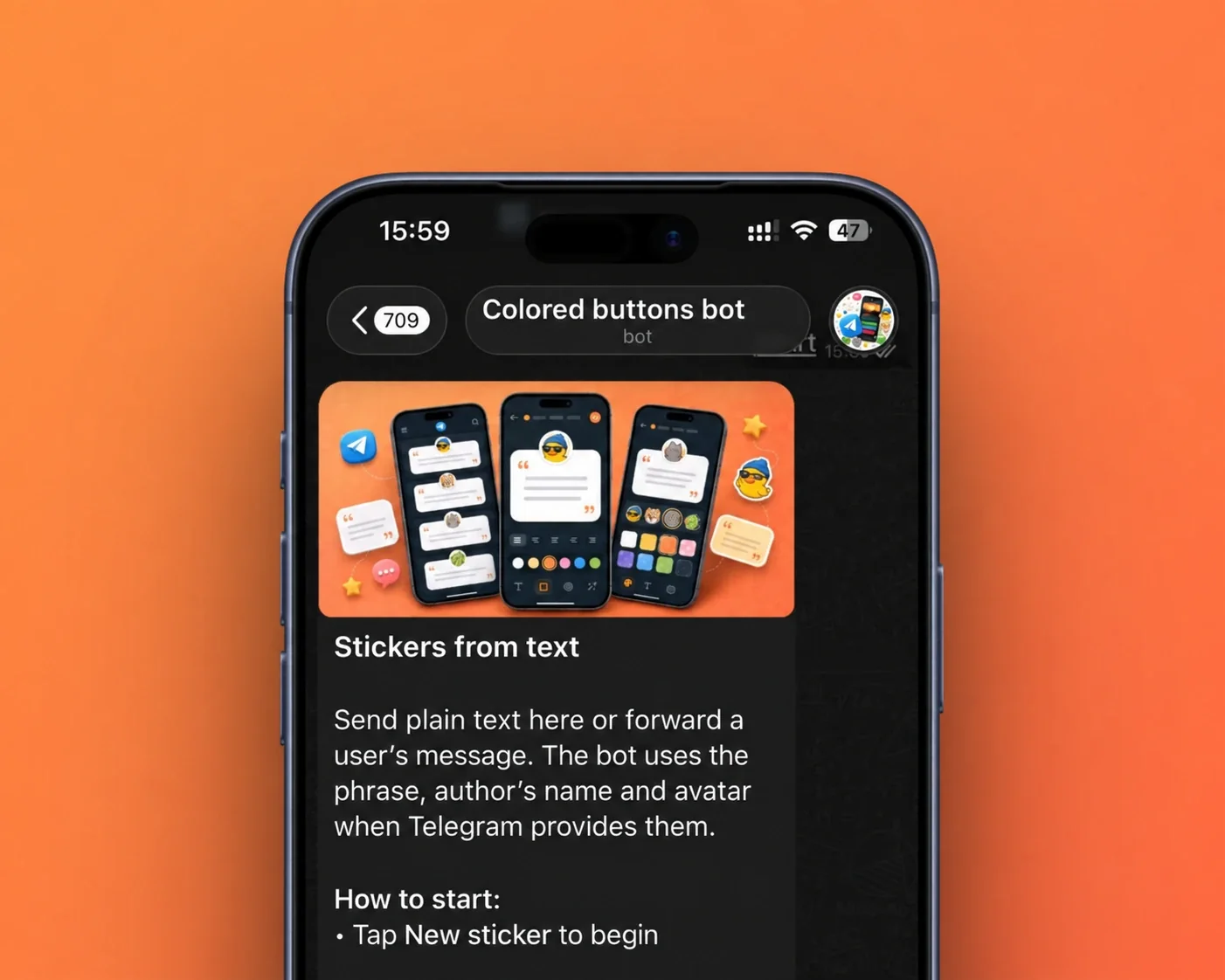
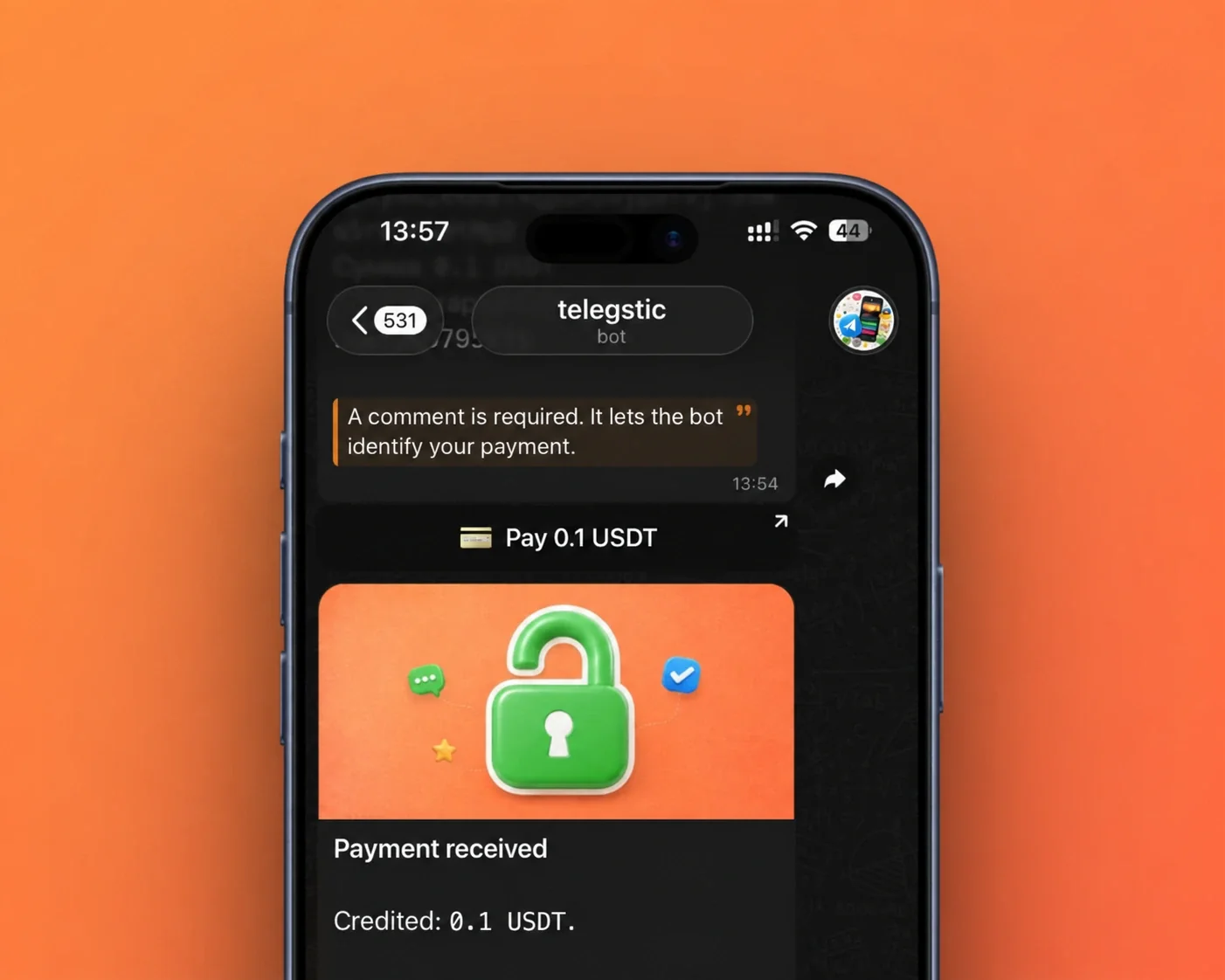
Sticker editor and bot workspace
1 / 6Project brief
Task
Develop a Telegram bot and a Telegram Mini App with two core features:
A post editor for Telegram channels with the ability to add custom-colored buttons
A sticker editor that allows users to add quotes and select backgrounds
The Telegram bot also needed to accept subscription payments in TON.
Additionally, promotional banners were created for the bot.
Two everyday publishing jobs in one tool
Channel administrators needed a way to prepare posts with buttons and create quote stickers without leaving Telegram. The project combined a Telegram Mini App with a bot, bringing both workflows into the same product. My role covered full-stack development across the React interface, Node.js backend, PostgreSQL and VPS deployment.
The brief also included subscription payments in TON and promotional banners for the bot. The recorded delivery window was one week.
Prepare a post before publishing it
The post editor lets an administrator work with the text, an image and button configuration before sending the post to a channel. The request included custom-coloured buttons; the archived screens show the editing controls and the surrounding publishing workflow.
The central product idea is a clear preparation stage. Content and configuration are assembled together so the administrator can review the intended message before publishing. This is particularly useful when the same Telegram bot is both a practical tool and the entry point to a more visual editor.
Turn a quote into a sticker
The second workflow creates quote stickers. Users can provide text or forward a message, select a background and work with the quote’s text and photo. The interface offers named background styles, a large preview and an explicit action to apply the chosen style.
The preview deserves most of the screen because the final result is a visual object. Short controls below it make changing a style easy without hiding the sticker behind a large settings form. The gallery follows this workflow from the bot’s instructions to the editor preview, with the text, author image and background controls visible. When a forwarded message includes an author name and avatar, the bot can use them in the quote sticker.
Bot, Mini App and subscriptions
React supplied the visual editing surface, while Node.js connected the workflows to Telegram. PostgreSQL supported the backend’s stored application data, and the service ran on a VPS. TON subscription payments were part of the requested product functionality.
The split between a bot and a Mini App fits the tasks naturally: the bot receives messages and provides a conversational entry point, while the Mini App offers space for previewing graphics and configuring a post. The tools remain connected without forcing detailed editing into a sequence of chat commands.
Free usage, payment and activation
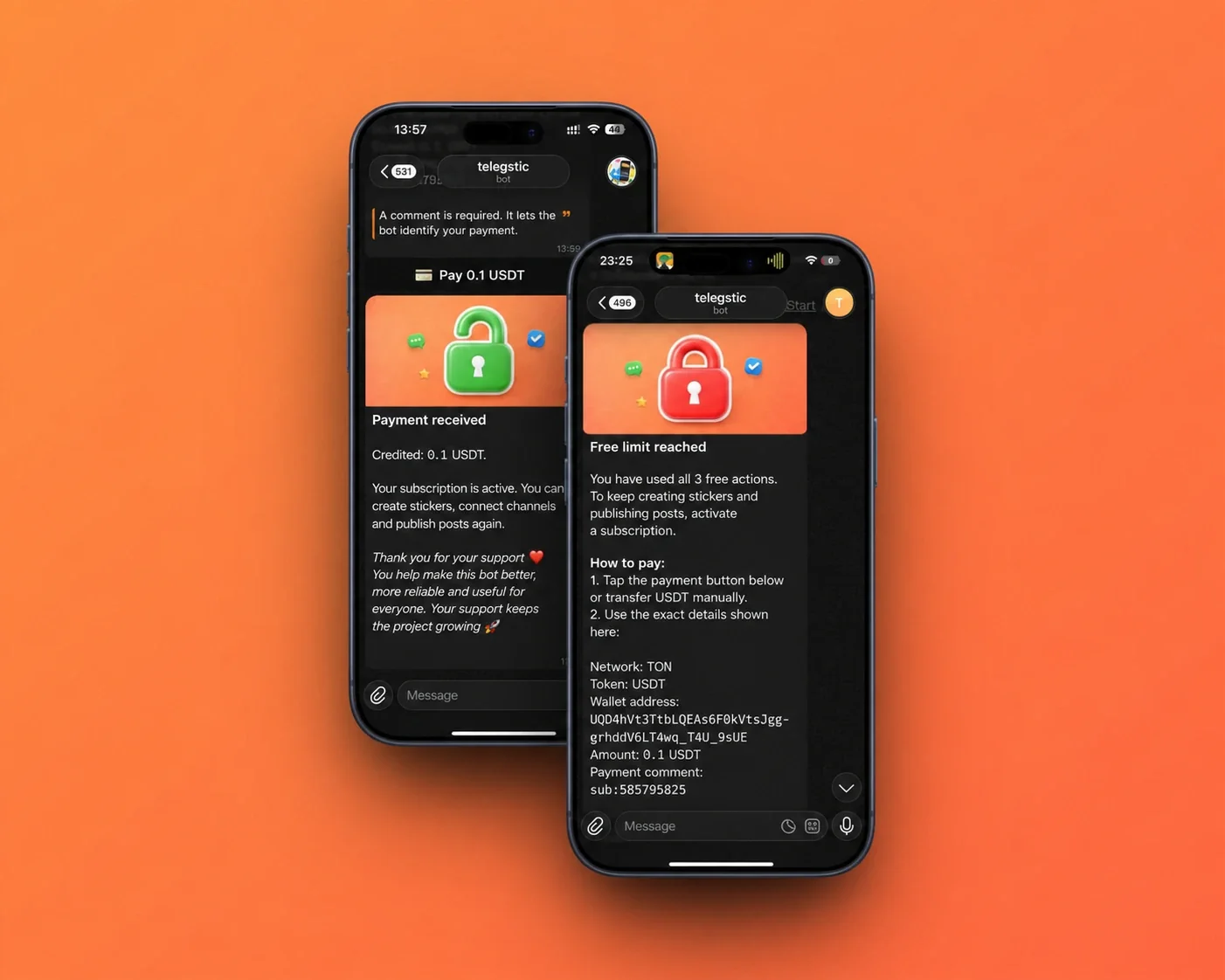
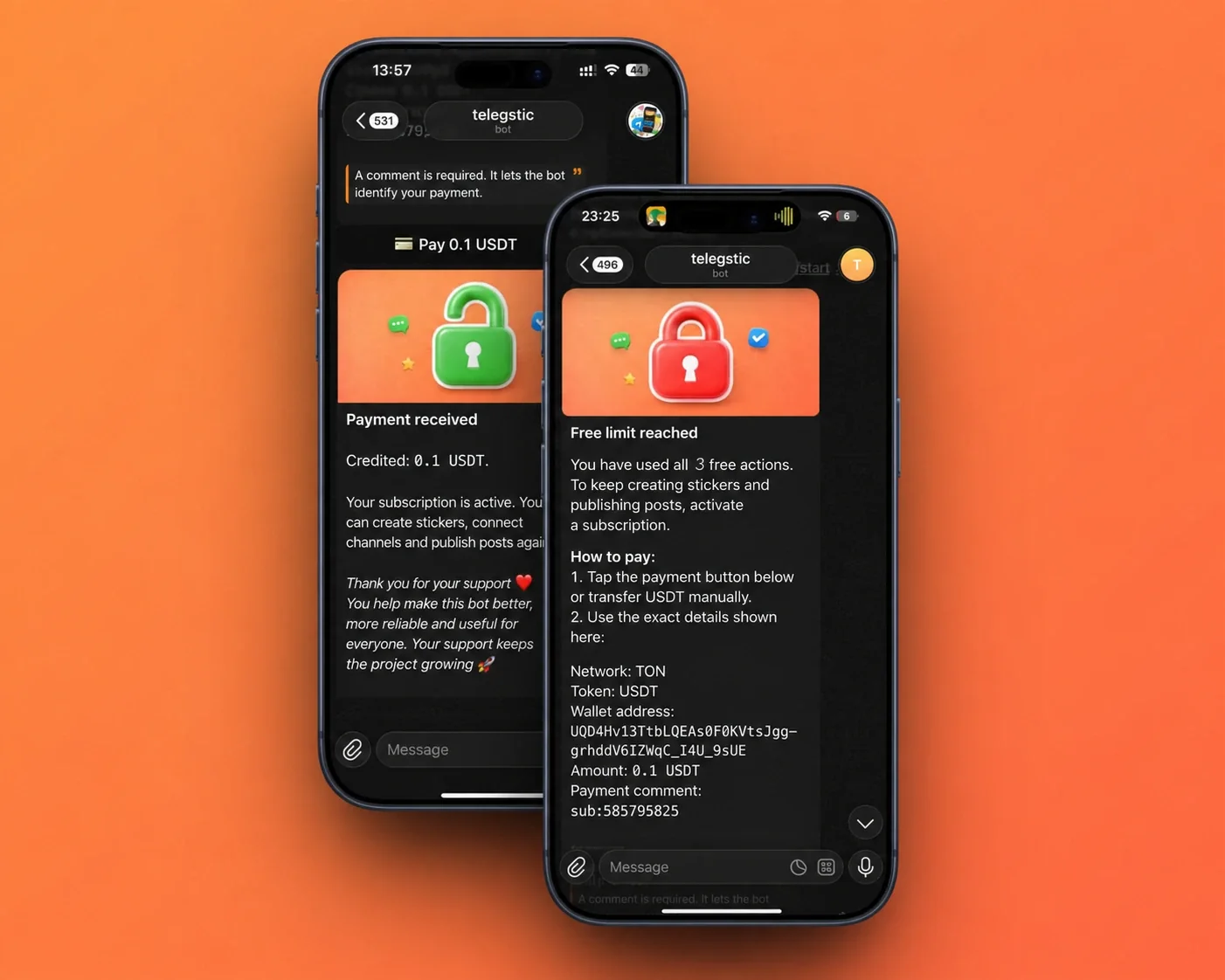
The bot includes a limited free allowance and a subscription activation flow. The screens show the allowance ending after three free actions, followed by payment instructions and a confirmation message that restores access to sticker creation and channel publishing.
The payment instructions identify TON as the network and USDT as the token. They include a wallet address, amount and payment comment so the incoming payment can be matched to the subscription. The bot also explains how users can share a referral link and receive rewards for paid subscriptions. These supporting states are shown alongside the editors in the six-screen gallery.
Presentation and delivery
AI-generated project graphics and promotional banners extended the same visual style into the bot’s introduction. The final scope combined the two editors, their Telegram integration and the paid subscription flow.